 Malvin Yeung
Project Details
Team
- I was the sole designer and led design for the entire lifecycle of the product.
- Worked with 5 engineers, 1 product manager, and 1 project manager.
Process
- 2-week sprints
- Daily standups
- Agile work environment
Timeline
- Shipped MVP in 4 months
- Rolled out over 15+ feature enhancements after launch
Background
The development process of a product begins with the business requirements but as a company grows, so does the pains of misalignment and miscommunication. The task is to solve for this gap in the process.
User Research
By interviewing 8-10 various business and engineer users for 30mins each, I was able to gather some common insights. Some of the takeaways include:
- No single source of truth for project requirements
- Too little visibility, too much latency
- Lacking formal review and approval process
- Hard to track the conversation against the user stories as business and devs use different tools to write and track requirements.
Business and technical constraints
Although I practice mobile first design, this product will strictly be used on desktop due to required VPN enabled and the complexity of the platform.
The biggest challenge was that business needed flexibility to work in an iterative environment as engineers needed stricter handoff of requirements that doesn't change so easily so there's alignment throughout the production process.
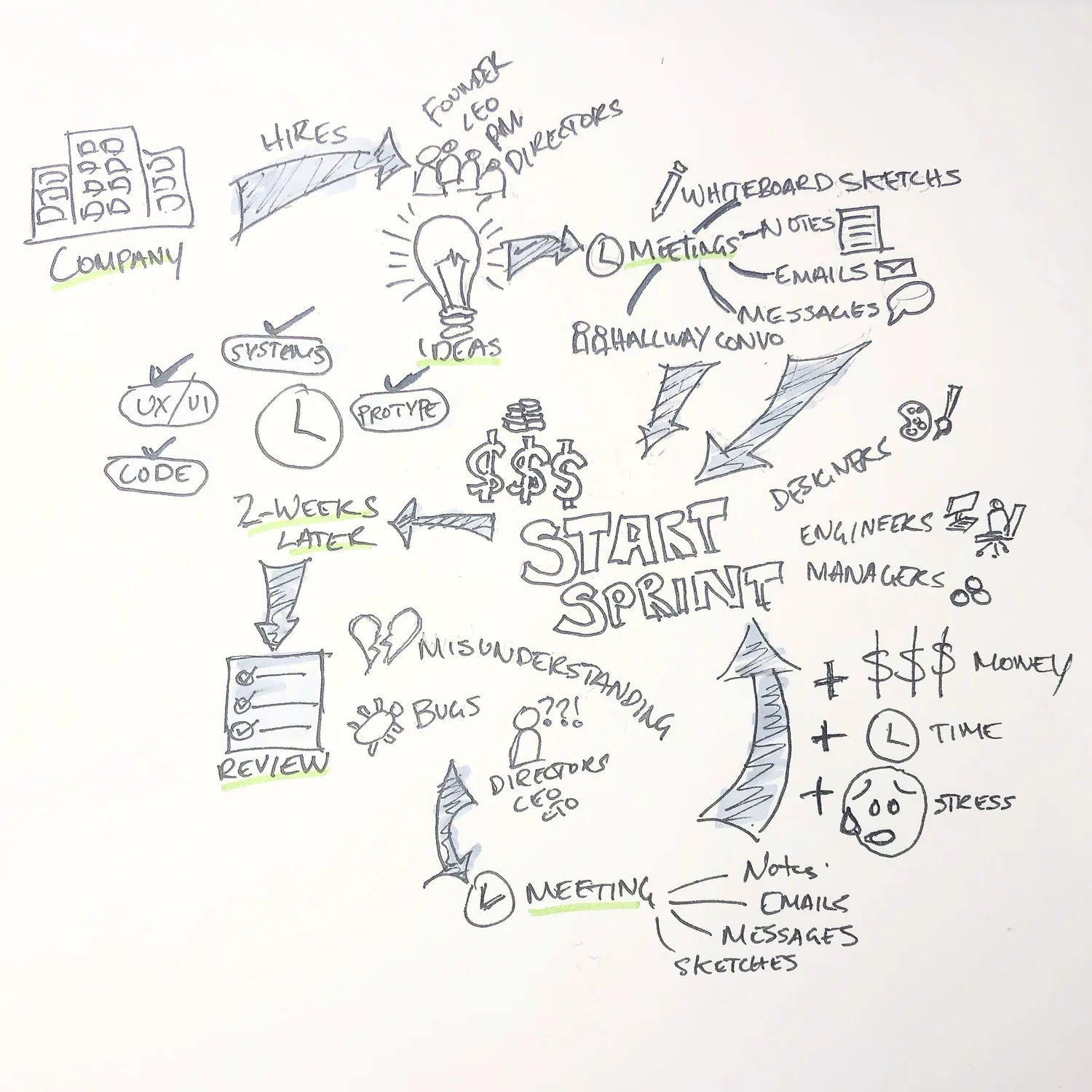
Existing Problem — all the different methods that teams use to handoff and track requirements suffer from lack of traceability during and after projects. This negatively impacts quality and the efficiency to iterate or fix development bugs.
Defining what we need to solve this
By creating a tool that enforces business and developers to easily create, track, converse, and report on project requirements, the development process will be more efficient and less prone to miscommunication. 4 main functions that we believed would solve this are:
- A place a user can create and edit requirements
- A place a user can make iterations of the document — version control
- Rope developers earlier in the requirement creation process to align functionality and limitations
- A conversation functionality to encourage a central place to communicate between teams
User Story 1: Requirement Creation
As a business owner, I want to create and edit requirements easily so that I can communicate and report them with stakeholders.
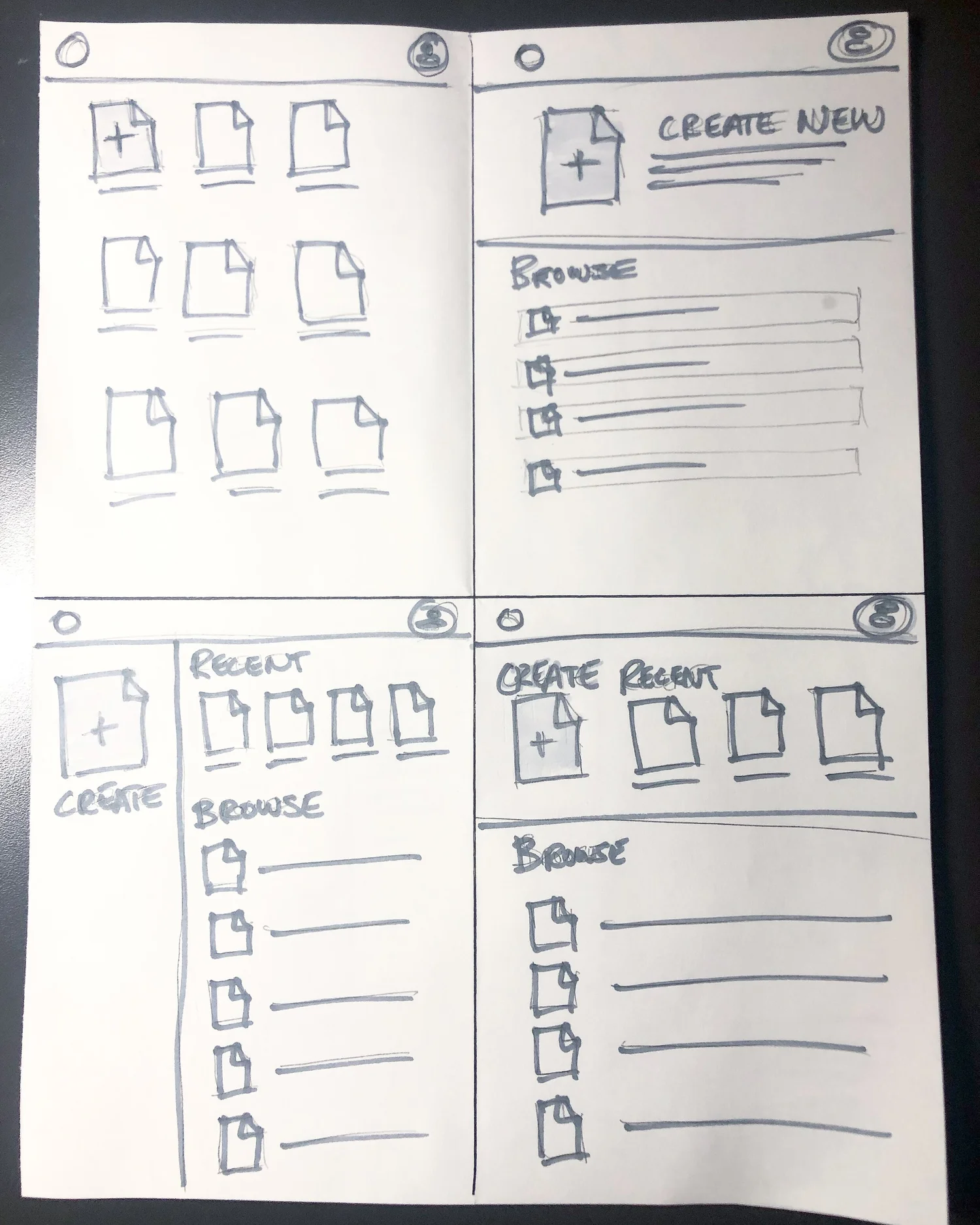
Wireframes and Requirement Editor
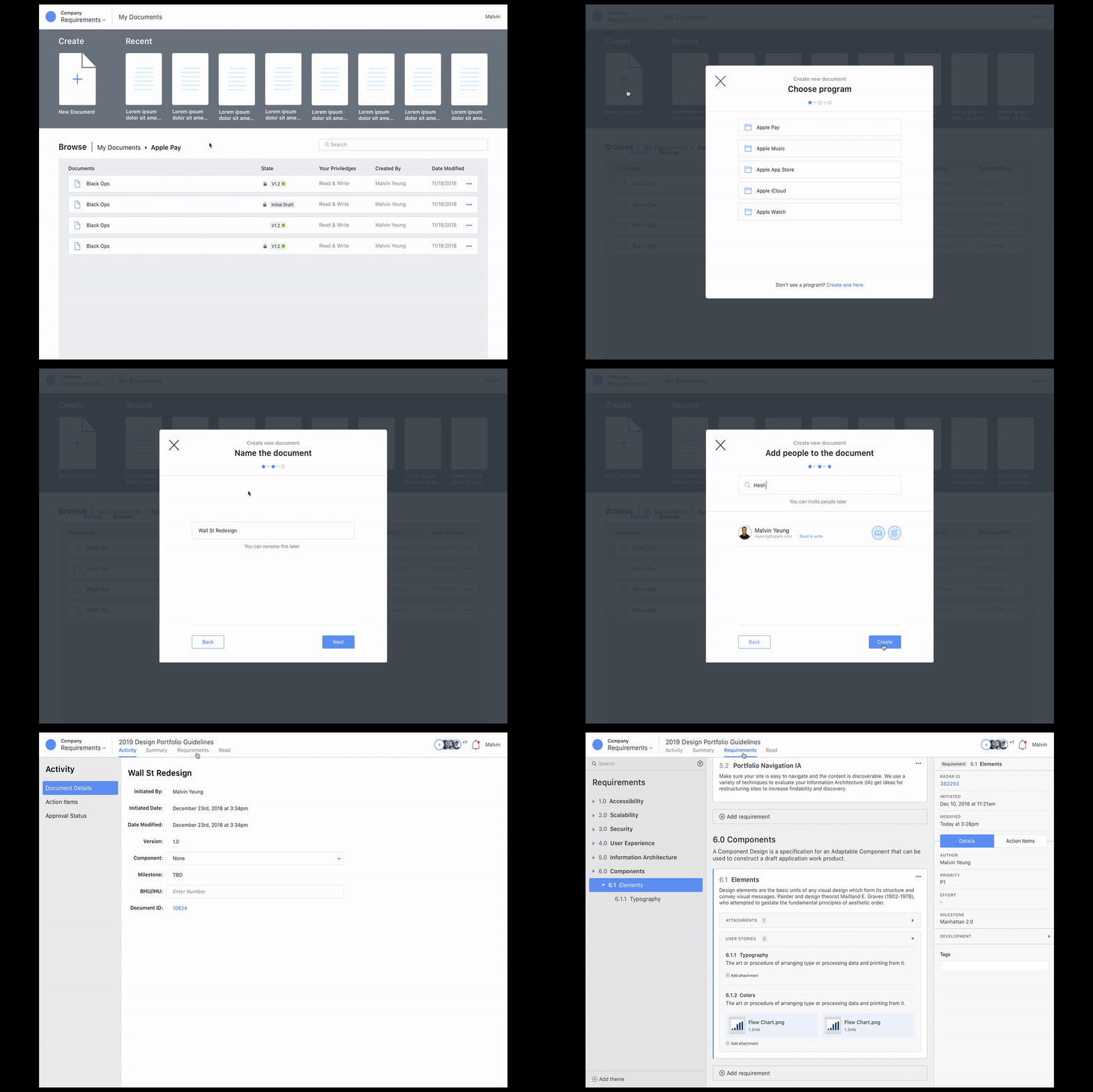
Creating a new Document — click-through prototype.
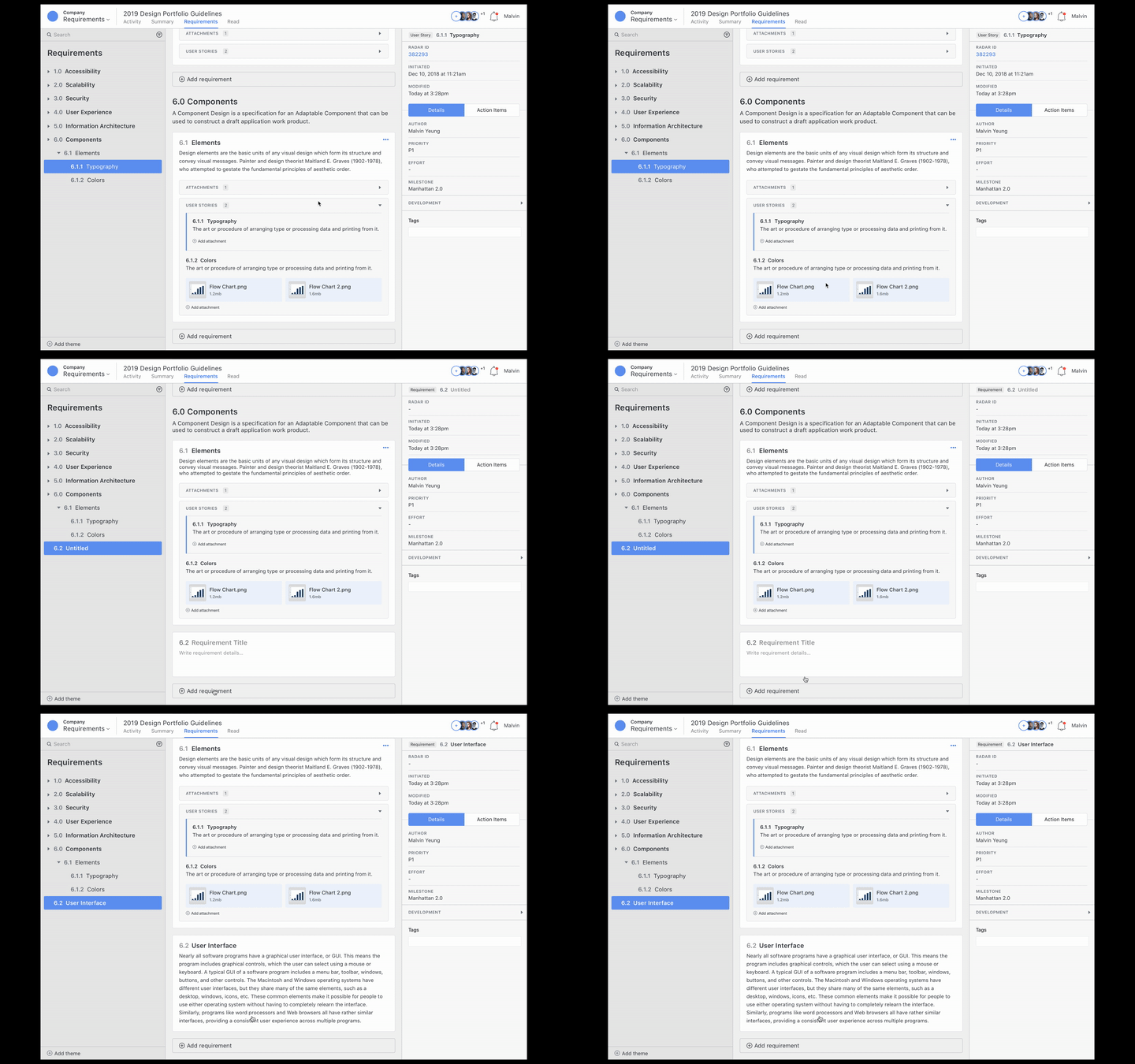
Creating a Requirement — click-through prototype.
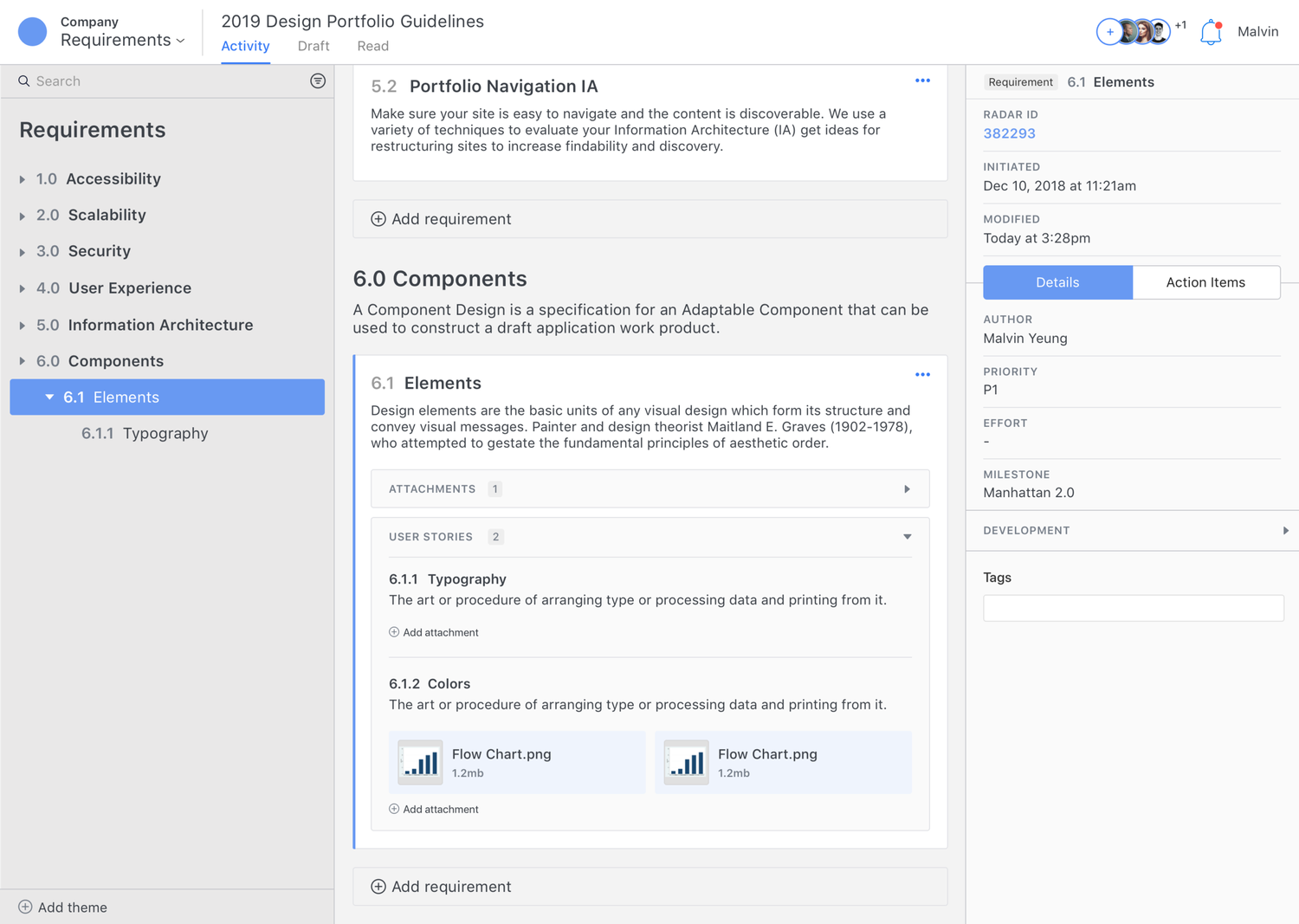
- 3 panel independent scrolling
- Card components for grouping requirements
- Easy side navigation that scroll anchors the card in focus
- Dynamic right panel meta data and action items per in-focus requirement
Challenges and Discoveries
I truncated each requirement card to make it easier for users to scan through the document, but little did I know that users actually found it a lot easier to see everything at once even though the document would get lengthy. This is because users are used to editing apps such as Word, Quip, or Pages. Click once to edit makes editing any part of the document quick and accessible.
User Story 2: Version Control and Approvals
As a business owner, I want to easily iterate on a requirements document so that I can make necessary changes before handing off for development.
As a developer, I want to track all the requirement changes so that I can make sure products are built with the utmost quality and efficiency.
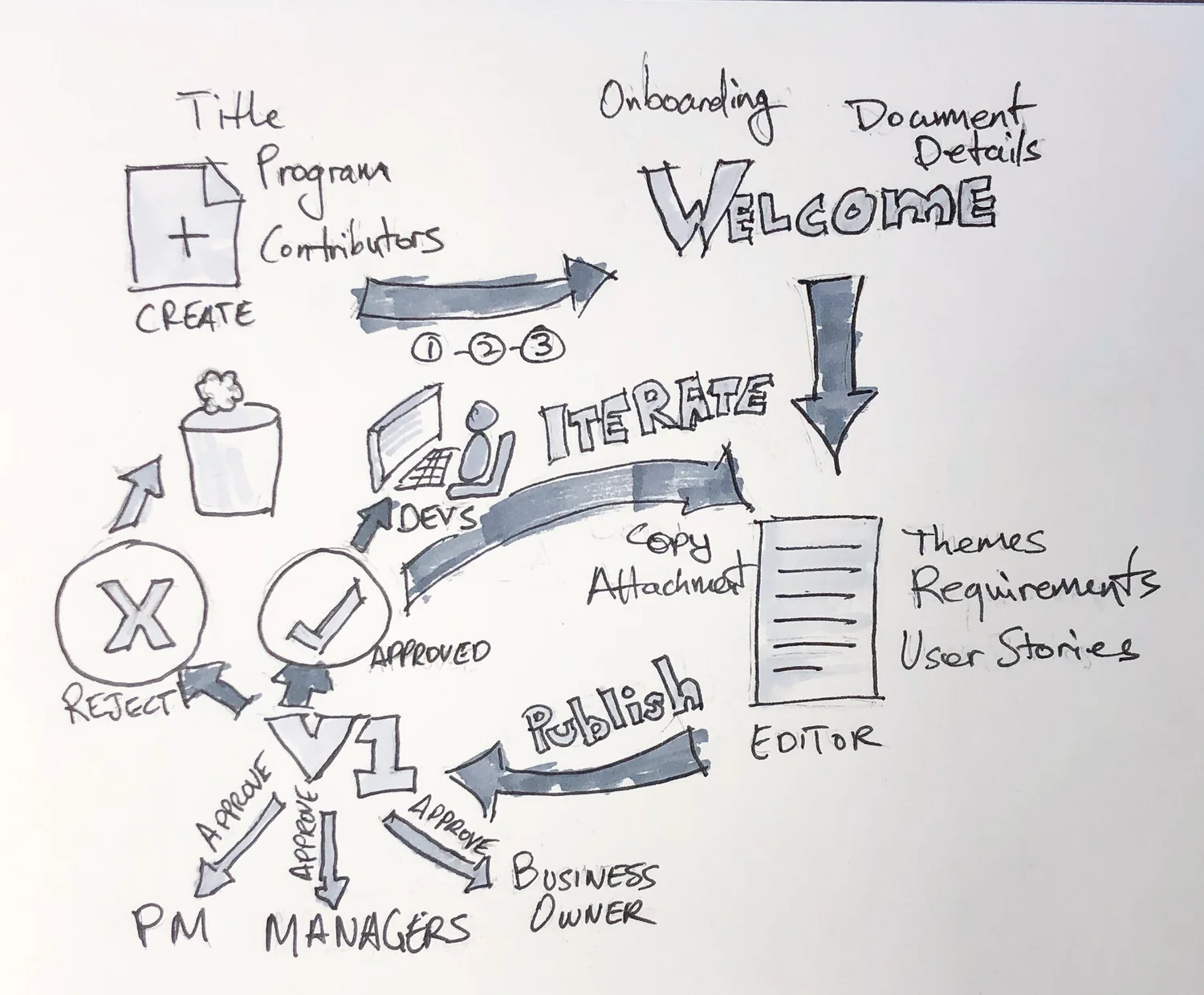
Solidifying requirements with collaboration — giving business the freedom to iterate on the document, with an approval process to enforce sign off before development begins.
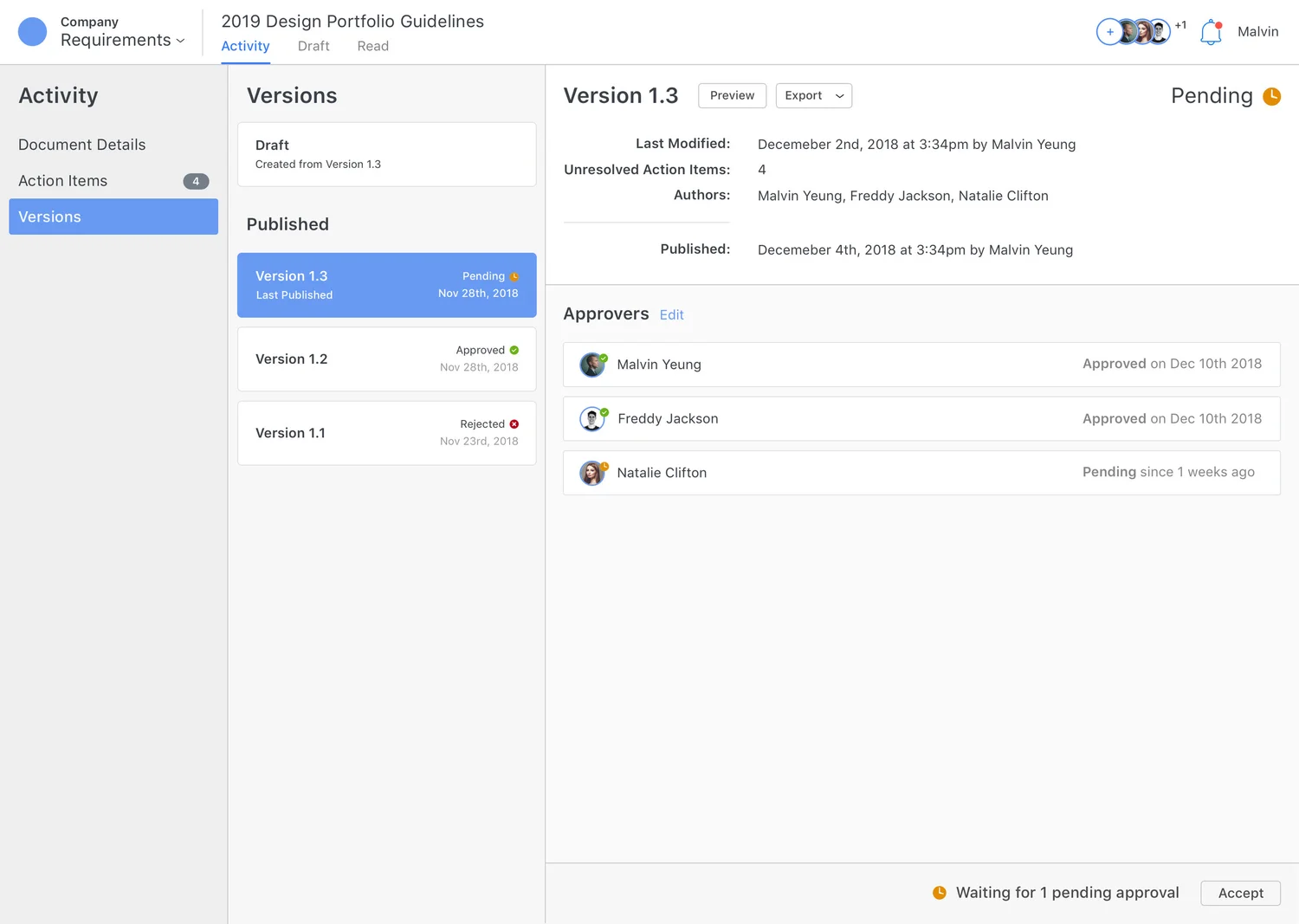
- Detailed outline of working and published versions
- Preview and exporting to various files
- Clear approval status of the published version and each approver
- Details of required dates and authors
Challenges and Discoveries
The approval process was a tricky feature to design for, as there are many moving parts associated with the interactions from both sides of the process, the requester and approver. I initially combined version control with approvals to make the task use fewer interactions, however this diminished the experience by not allowing users to create and export multiple versions without an approval process.
User Story 3: Action Items
As a business owner or developer, I want to reduce latency by effective communication so that I can deliver with the least amount of time possible saving resources and stress.
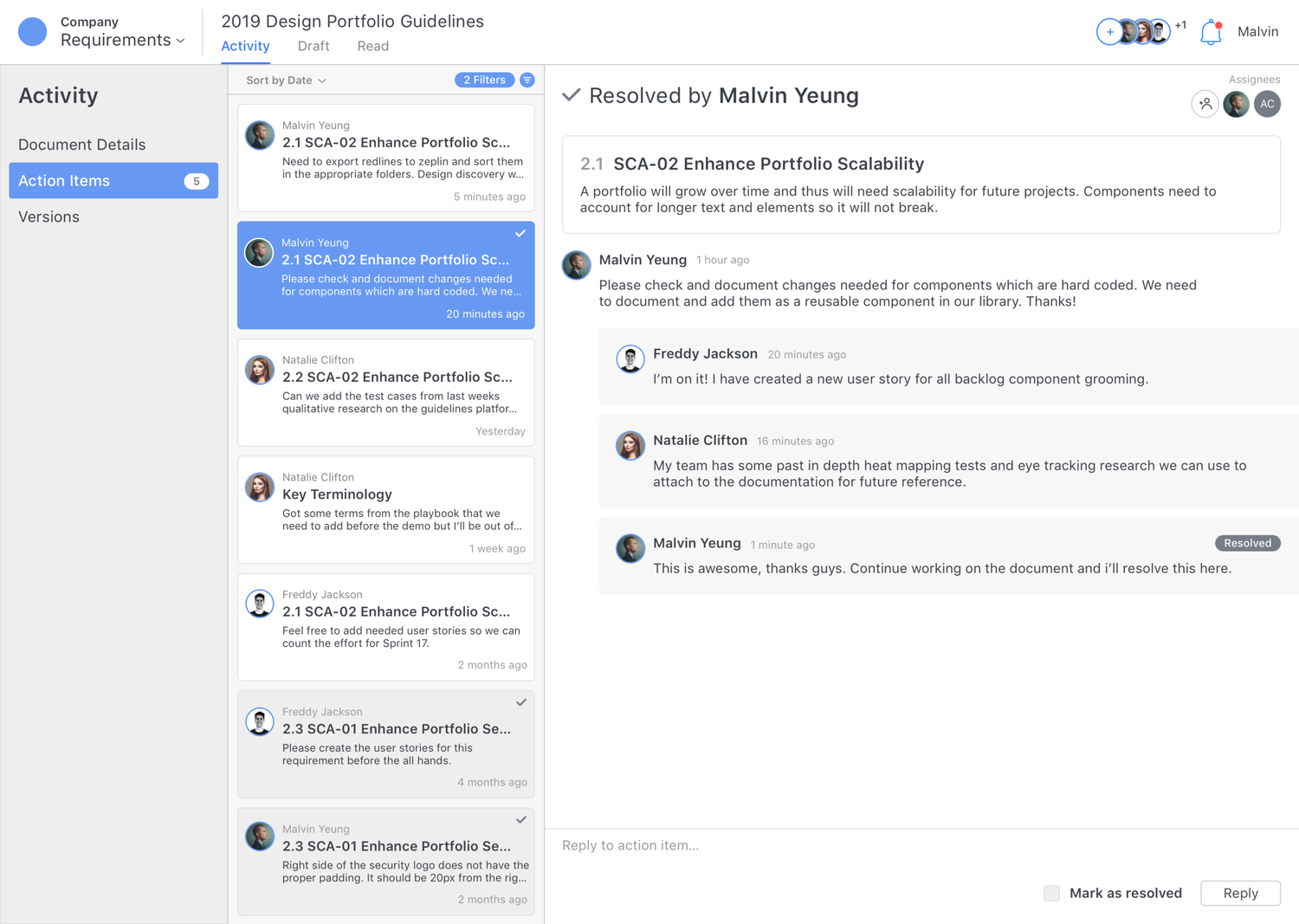
- Number alert for quick glance unresolved action items
- Action item filtering of assigner or published version
- Quick preview and click to target
- Single level reply for organized conversations
- Clear labels and icons to differentiate resolved and unresolved items
Building out Acceptance Criteria
For a complex product like this, I outlined the acceptance criteria for each requirement and user story. Acceptance criteria are conditions that a software product must satisfy to be accepted by a user, customer, or consuming system. I used Gherkin syntax to write expressive scenarios for each user story.

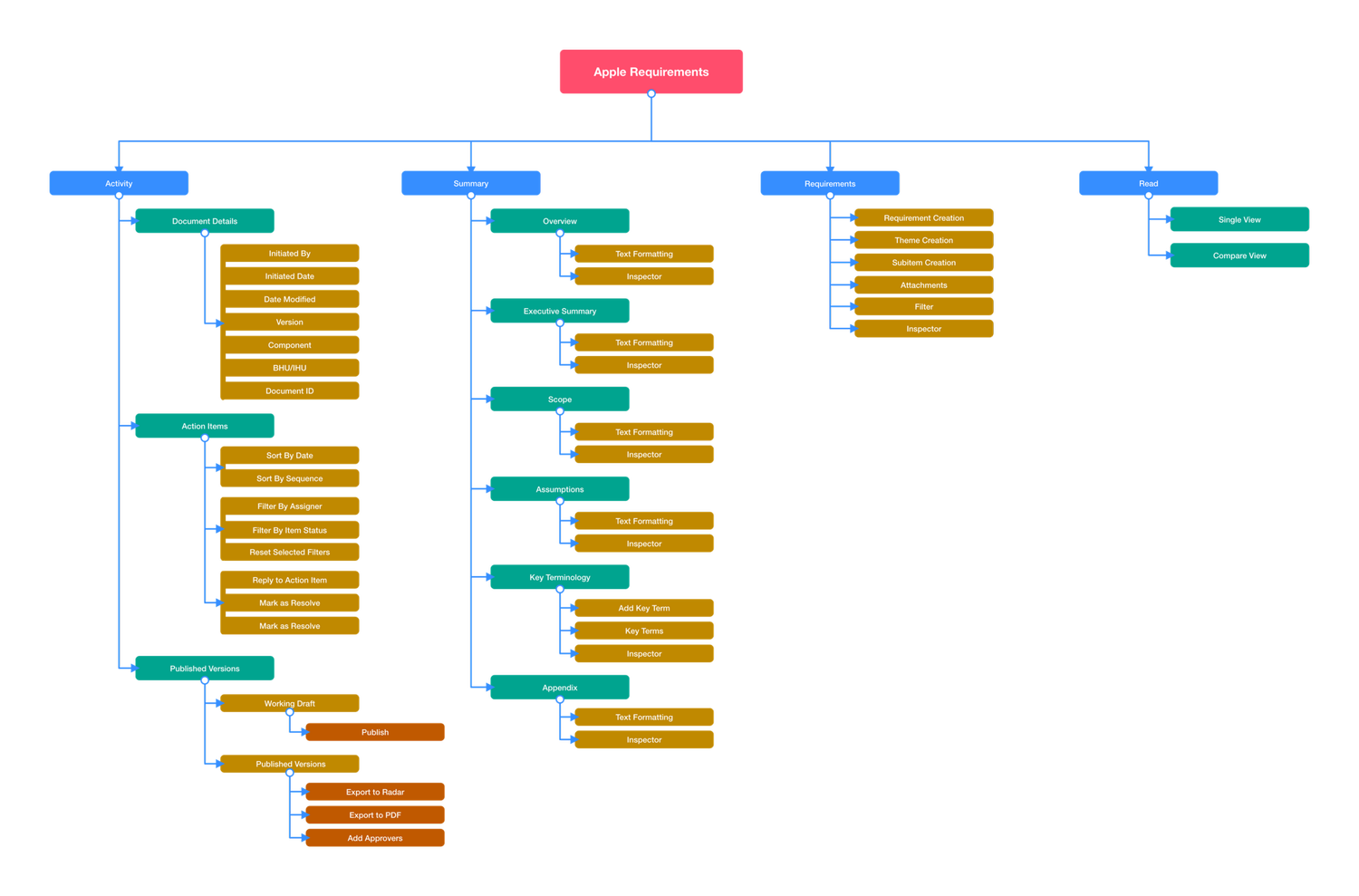
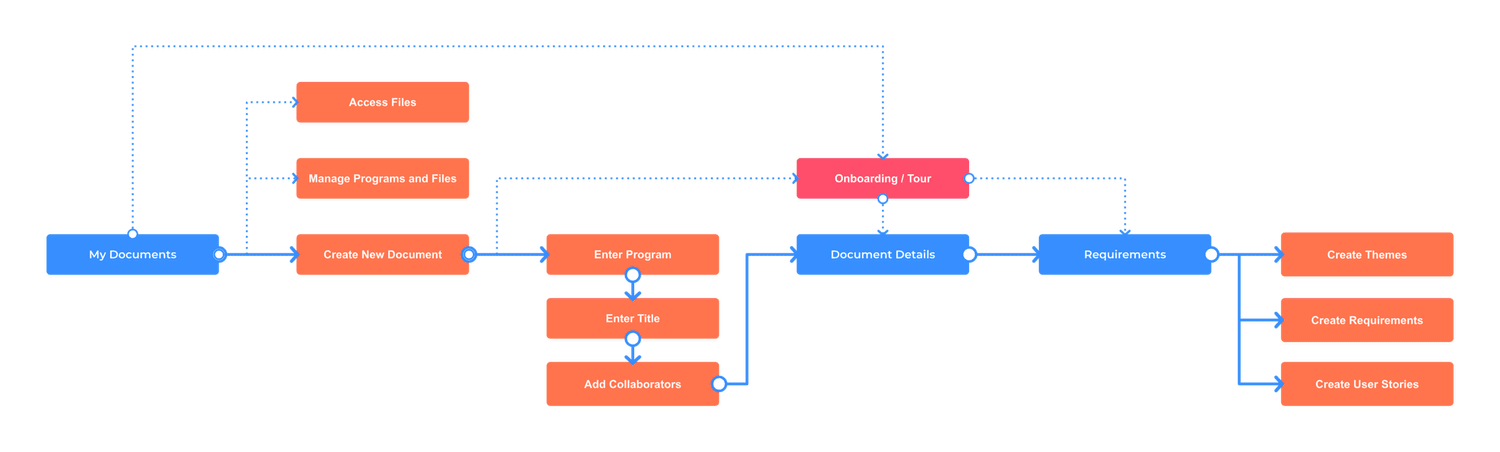
Mapping the experience — 4 main pillars: Activity (document details, versioning, action items), Summary (supporting documents), Requirements (themes, requirements, user stories), and Read (a flat readable view for approving versions).
What did success look like for MVP launch?
Adoption
- Teams throughout the company started requesting to use the application
- Gave over 50+ demos to various teams and stakeholders
- Created over 10+ reusable keynote slides
- On-boarded over 1,000+ employees to MVP, actively using and growing
Efficiency
- Teams reported saving sprint cycles due to the application, which is hundreds of hours per sprint
- More bugs were fixed in less time due to stronger communication and alignment on requirements
Feature Enhancements
Notifications
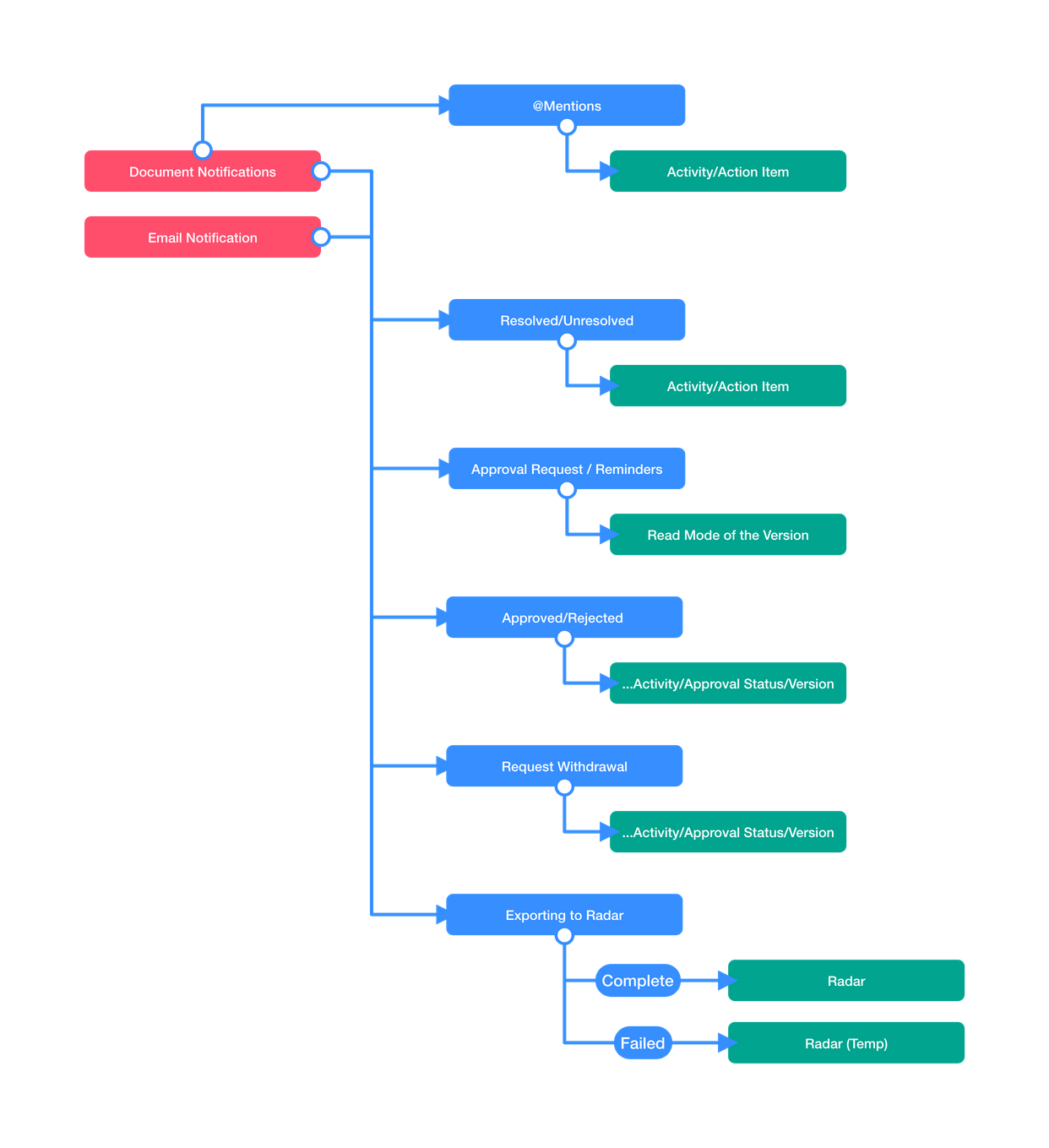
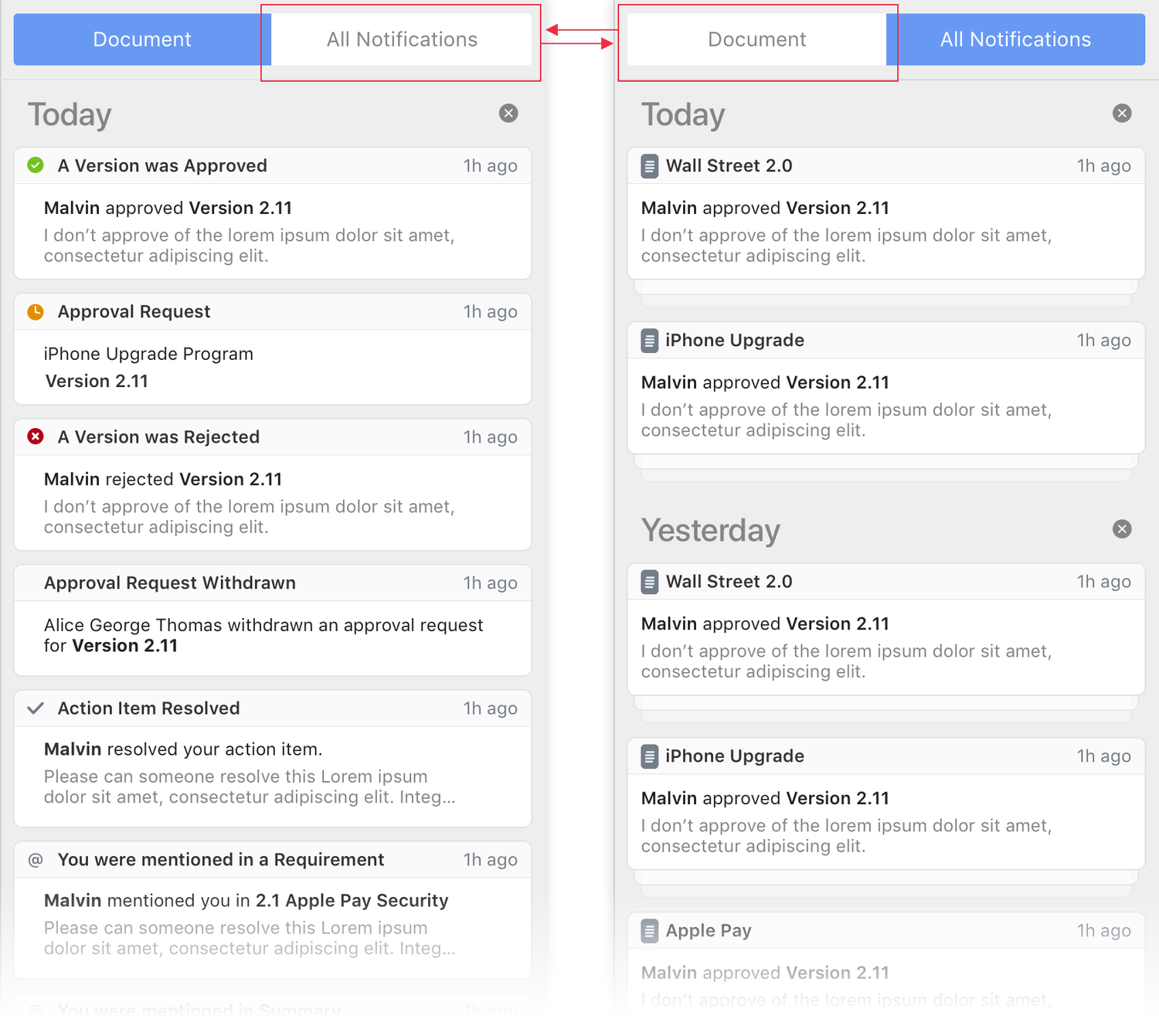
Notifications allow users to be informed about activity in the document that's relevant to them in real time. This is key when a project is time sensitive and stakeholders are waiting on an action that needs to be taken by the assignee.
Assigning Action Items
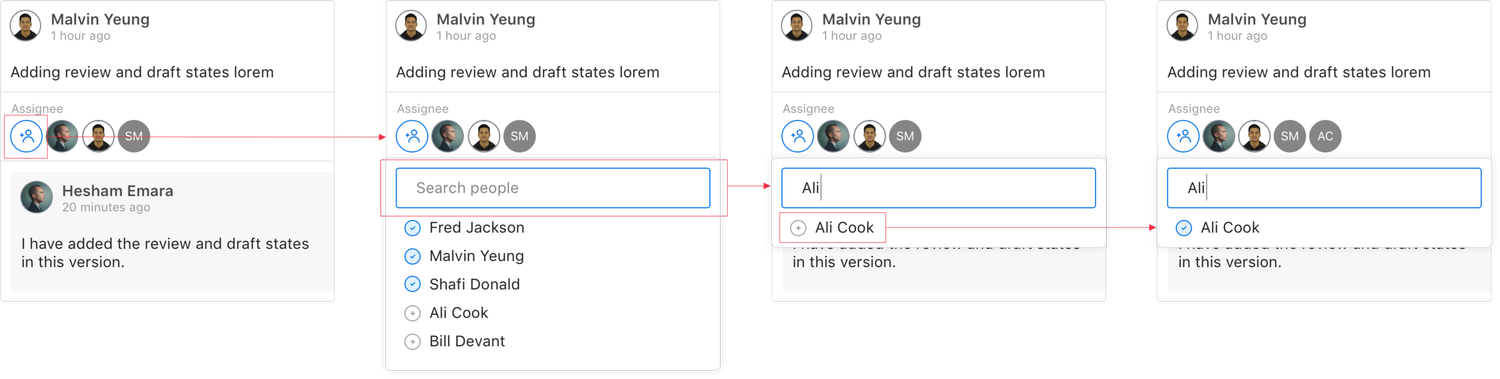
Assigning people to an action item allows for direct notifications, helping grab attention from a specific contributor. This reduces latency and focuses the user's attention on what's required on their behalf.
Landing Page
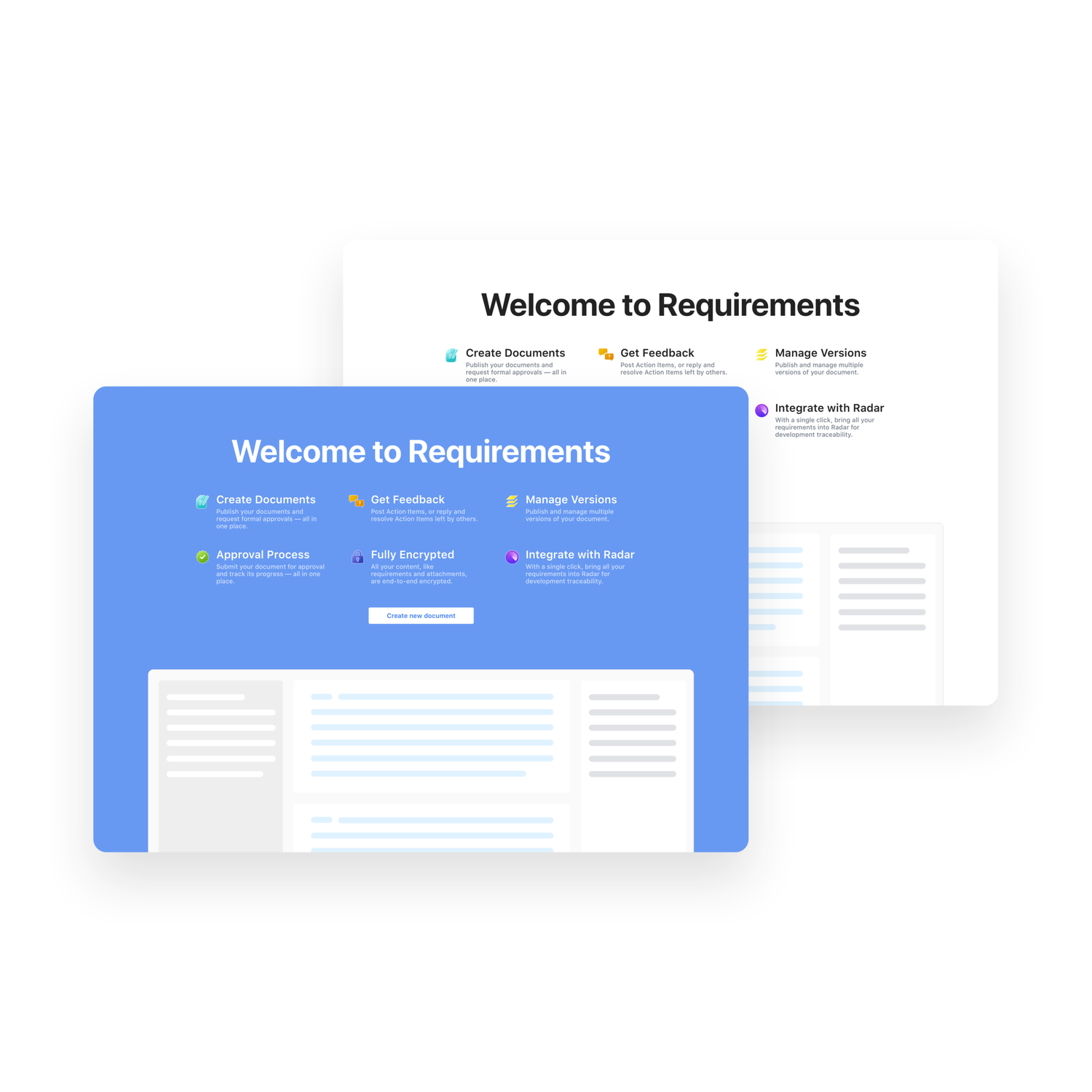
I explored several iterations of the landing page with the same feature benefits, floating image and call to action — all above the fold (600-700px). Goals were a high conversion rate and getting users to create their first document, with enough value proposition to motivate them and a single call to action to make getting started simple.